
Why Choose an Authorised Partner of Konica Minolta for Your Office Printing Needs?
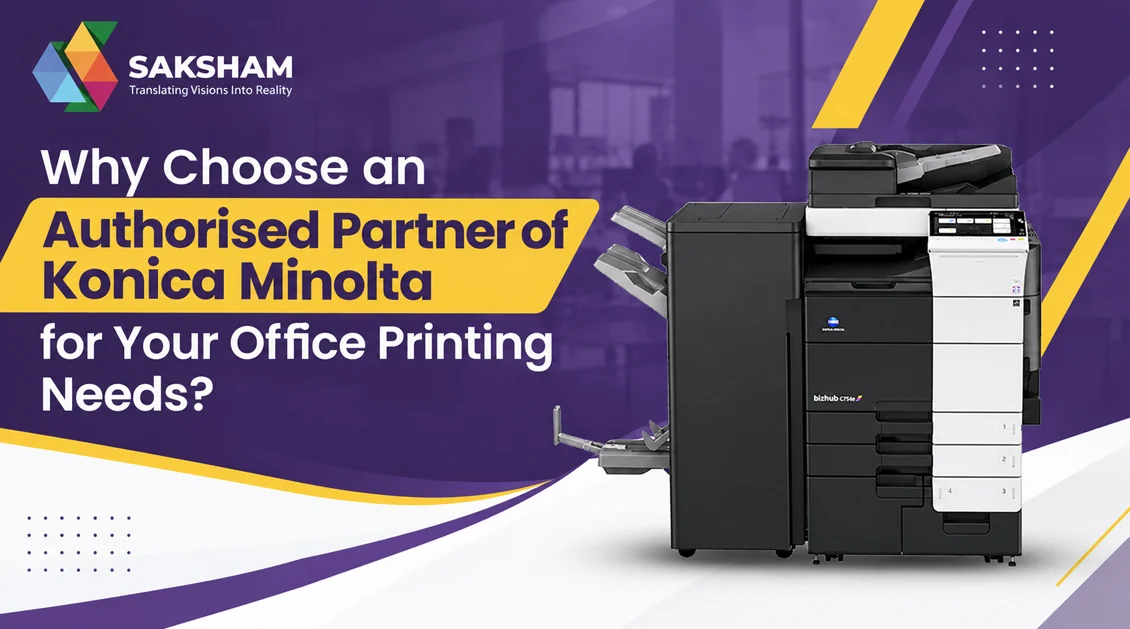
In today’s fast-paced business environment, reliable printing and document management solutions are essential for smooth office operations. From printing important business documents to copying reports and scanning records, companies need office equipment that delivers consistent performance, quality results, and cost-effective operation. Choosing the right printing partner can make a significant difference in productivity and long-term expenses.
This is where an Authorised Partner Of Konica Minolta can help businesses find suitable office printing and document management solutions. Saksham Office helps businesses explore printing and copying solutions designed to support their everyday operational requirements. Whether you manage a small office, an educational institution, a corporate workplace, or a large organization, selecting the right equipment and support can simplify document-related tasks.
Konica Minolta is known for its office printing and multifunction printing technology. By choosing the right equipment for your workload, businesses can improve document workflows, manage printing requirements more efficiently, and support employee productivity.
What Is an Authorised Partner of Konica Minolta?
An Authorised Partner Of Konica Minolta is a business authorized by Konica Minolta to offer specified products or services under an official partnership arrangement. Depending on the agreement, an authorised partner may help customers explore office printers, multifunction devices, photocopiers, and related document management solutions.
Businesses often prefer working with an authorised partner because they want reliable product information, assistance in selecting suitable equipment, and access to support within the scope of the partner’s authorization.
A suitable printing partner can help organizations understand the differences between available models, evaluate printing volumes, and choose equipment according to their budgets and business requirements.
For example, a small business that prints invoices and contracts may need a different machine from a school that regularly prints examination papers or a corporate office that processes hundreds of documents daily.
Simply put, an authorised Konica Minolta partner helps businesses identify suitable printing solutions and understand the product options available for their workplace.
Why Choose an Authorised Partner of Konica Minolta?
Choosing the right office equipment involves more than comparing machine prices. Businesses should also consider performance, maintenance requirements, running costs, and the availability of technical assistance.
Here are some important reasons to work with an authorised partner.
1. Guidance on Selecting the Right Equipment
Every business has different printing requirements. Some offices primarily print black-and-white documents, while others regularly need colour presentations, marketing materials, reports, and client proposals.
An experienced printing solutions provider can help assess these requirements before recommending suitable equipment.
Factors to consider include:
- Average monthly printing volume
- Black-and-white and colour printing requirements
- Required printing speed
- Paper sizes and media types
- Scanning and copying needs
- Available office space
- Initial budget and ongoing operating costs
Selecting equipment according to these factors helps businesses avoid investing in a machine that does not match their actual workload.
2. Access to Suitable Multifunction Printers
Modern multifunction printers combine several document-related functions in one device. Depending on the model, these functions may include printing, copying, scanning, and other productivity features.
For offices that handle large amounts of paperwork, a multifunction printer can simplify everyday operations and reduce the need for separate devices.
For example, an accounting department may use one machine to print financial reports, scan invoices, and copy supporting documents. Similarly, an educational institution may require efficient printing and copying facilities for administrative records, worksheets, and classroom materials.
A suitable Konica Minolta multifunction device can help streamline these activities when selected according to the organization’s needs.
3. Better Understanding of Operating Costs
The purchase price is only one part of the total cost of owning a printer or photocopier. Businesses should also consider toner, paper, replacement parts, servicing, electricity consumption, and other applicable expenses.
A machine with a lower initial price may not always be the most economical option over time.
Before purchasing equipment, businesses should evaluate their expected monthly usage and estimated cost per printed page. They should also clarify which consumables, maintenance services, and warranties are included in the proposed package.
Working with a knowledgeable printing solutions provider can help organizations compare available options and make more informed purchasing decisions.
4. Support for Everyday Office Productivity
Printing delays can affect several departments, particularly when employees depend on physical documents to complete their work.
Reliable office printing equipment helps teams manage important activities such as preparing reports, printing invoices, producing business proposals, and maintaining physical records.
The right machine should offer a suitable combination of speed, print quality, paper handling, and functionality.
Businesses should also consider the number of employees using the device and whether features such as network printing and document scanning are necessary for their workflow.
By selecting equipment that matches actual office requirements, organizations can reduce unnecessary interruptions and manage routine document tasks more efficiently.
What Printing Solutions Can Businesses Explore at Saksham Office?
Saksham Office helps businesses explore office printing and copying solutions based on their operational needs. The most suitable option depends on the type of organization, printing volume, budget, and required features.
Office Printers for Daily Business Tasks
Office printers are useful for producing invoices, letters, business reports, contracts, and other documents. Businesses should evaluate print speed, monthly duty cycle, connectivity, and output quality before selecting a device.
Small offices may prioritize affordability and ease of use, while larger workplaces may require higher-volume printing capabilities.
Multifunction Printers for Multiple Requirements
Multifunction printers combine several document-handling functions in one machine. They can be useful for businesses that need to print, copy, and scan documents throughout the day.
These devices may also offer features that help employees share equipment across departments, depending on the model and configuration.
Photocopiers for High-Volume Document Processing
Schools, coaching institutes, corporate offices, and administrative departments may require photocopiers for handling large quantities of paperwork.
When choosing a photocopier, organizations should compare copying speed, paper capacity, supported paper sizes, image quality, and expected monthly usage.
The right device can help employees manage repetitive copying tasks more efficiently.
Colour Printing Solutions
Colour printing is important for businesses that produce presentations, charts, brochures, training materials, and other documents where visual clarity matters.
Organizations should compare colour output quality, supported media, print speed, and the cost of colour consumables before choosing a suitable machine.
The objective is to select a solution that delivers the required quality without creating unnecessary operating expenses.
How to Choose the Right Konica Minolta Printer for Your Business
Before investing in office printing equipment, businesses should assess their document workflow and identify their priorities.
Consider these five factors when comparing available models.
- Monthly printing volume: Estimate how many pages your office prints each month. Choose a device designed to handle your expected workload.
- Printing speed: If employees frequently print large documents, compare pages per minute and consider how quickly the machine processes complex jobs.
- Required features: Determine whether you need printing alone or additional functions such as copying, scanning, duplex printing, and network connectivity.
- Cost per page: Evaluate toner consumption, paper usage, maintenance expenses, and other applicable costs to understand the long-term financial commitment.
- Service and warranty: Ask about warranty coverage, service availability, consumable compatibility, and the terms of any maintenance agreement.
These considerations help businesses compare machines based on practical requirements instead of choosing equipment solely because of its price.
Who Can Benefit from Konica Minolta Office Printing Solutions?
Konica Minolta printing and document management solutions may suit a wide range of organizations, depending on the selected model and configuration.
- Corporate offices: For printing contracts, proposals, reports, and internal documents.
- Schools and educational institutions: For worksheets, examination papers, notices, and administrative records.
- Small and medium-sized businesses: For invoices, business correspondence, presentations, and everyday paperwork.
- Healthcare and professional offices: For administrative documentation and other appropriate office printing tasks.
- Printing-intensive departments: For managing higher document volumes with equipment selected for their workload.
The important consideration is to match the machine’s capabilities with the organization’s actual printing needs.
Why Consider Saksham Office for Your Printing Requirements?
When choosing an office printing solution, businesses need clear product information and practical guidance to evaluate their options.
Saksham Office can help prospective customers explore available office printing and copying equipment according to their needs and budget.
When discussing your requirements, share the approximate number of pages you print each month, whether you need colour or black-and-white output, and whether copying or scanning is essential.
You should also ask about the total cost of ownership, product availability, warranty terms, consumables, and after-sales support.
If you are considering purchasing or upgrading your existing equipment, compare the available models before making a decision.
Before relying on an authorised partnership, customers should confirm the provider’s current authorization status and the specific products or services covered by that arrangement.
By evaluating these details, businesses can make a more informed decision and choose equipment that supports their daily operations.
Conclusion
Choosing the right office printing equipment can help businesses improve productivity, manage document workflows, and control printing expenses. However, the best solution depends on the organization’s workload, required features, budget, and long-term maintenance requirements.
Working with an Authorised Partner Of Konica Minolta can help businesses explore relevant printing and copying solutions and understand their available options. From everyday office printers to multifunction devices and photocopiers, the right equipment can support smoother document management across different departments.
Saksham Office can help businesses explore suitable printing solutions based on their operational needs. Before making a final decision, compare machine specifications, estimated running costs, warranty coverage, and support arrangements.
Frequently Asked Questions (FAQs)
1. What is an Authorised Partner of Konica Minolta?
An Authorised Partner Of Konica Minolta is a business that has official authorization from Konica Minolta to provide specified products or services. The scope of authorization may vary, so customers should verify the partner’s current status and coverage.
2. Why should I choose an authorised Konica Minolta partner?
An authorised partner may provide product guidance, information about available models, and access to specified support services. Customers should confirm the warranty, servicing, and support arrangements offered with their chosen equipment.
3. Which Konica Minolta printer is best for an office?
The best printer depends on monthly printing volume, required speed, colour requirements, scanning needs, budget, and expected operating costs. Businesses should compare suitable models before making a purchase.
4. Are Konica Minolta multifunction printers suitable for businesses?
Yes. Depending on the model, multifunction printers can combine printing, copying, and scanning in one device. They can be useful for businesses that handle different document-related tasks daily.
5. How can I reduce office printing costs?
You can manage printing costs by selecting the right machine for your workload, using duplex printing where appropriate, monitoring toner and paper consumption, and reviewing maintenance expenses and cost per page.
6. How do I choose the right photocopier for my business?
Start by estimating monthly copying volume, required copying speed, paper sizes, image quality, and additional functions. Also compare consumable costs, warranty terms, and service arrangements.
7. How can I contact Saksham Office for printing solutions?
You can contact Saksham Office through its official business contact channels to discuss your printing requirements, available equipment, pricing, and applicable support options.